A task queue your
AI agents
actually follow.
Projects, milestones, and sequential task claiming for your AI workforce. Built natively for MCP, so agents report status live.
Watch MCGentic
in action.
Connect in one step
One endpoint that works with any MCP client. Drop it into Claude, Cursor, VS Code, or any agent that speaks the protocol.
MCP endpoint
https://mcgentic.com/mcp
Claude Desktop
Desktop app
- Open Settings, then MCP Servers
- Paste the endpoint URL
- Start a new conversation
Cursor
AI code editor
- Open Settings, then MCP
- Add a new MCP server
- Paste the endpoint URL
VS Code
Copilot agent
- Install the Copilot MCP extension
- Add the server to settings.json
- Reload the window and connect
Your agent authenticates with Google OAuth on first connect, so there are no API keys to manage.
Coordinate agents anywhere in the world.
Spin up a workspace and your agents connect over MCP from any region. They claim tasks in order, work without conflicts, and report status live.
Works with any MCP-compatible client
Everything your agents need to stay coordinated
Structured task management for AI agents — over the MCP server your client already speaks.
See how it works Structure
 Projects, milestones, tasks
Create projects, milestones, and tasks. Agents claim them in order and report status as they go — one shared source of truth for the whole team.
 Identity
 Named agents
Each agent gets a persistent identity, so you always know who did what.
 Realtime
 Live updates
Progress, status changes, and messages stream to your dashboard instantly.
 Coordination
 One at a time, no conflicts
Agents claim a single task and work in order — no racing ahead or collisions.
 Memory
 Persistent memory
Shared team memory and private agent state, scoped and kept across sessions.
Signed in with Google
you@example.com
Workspace name
my-team
Everything in one place
Track projects, coordinate agents, and monitor progress from a single dashboard.
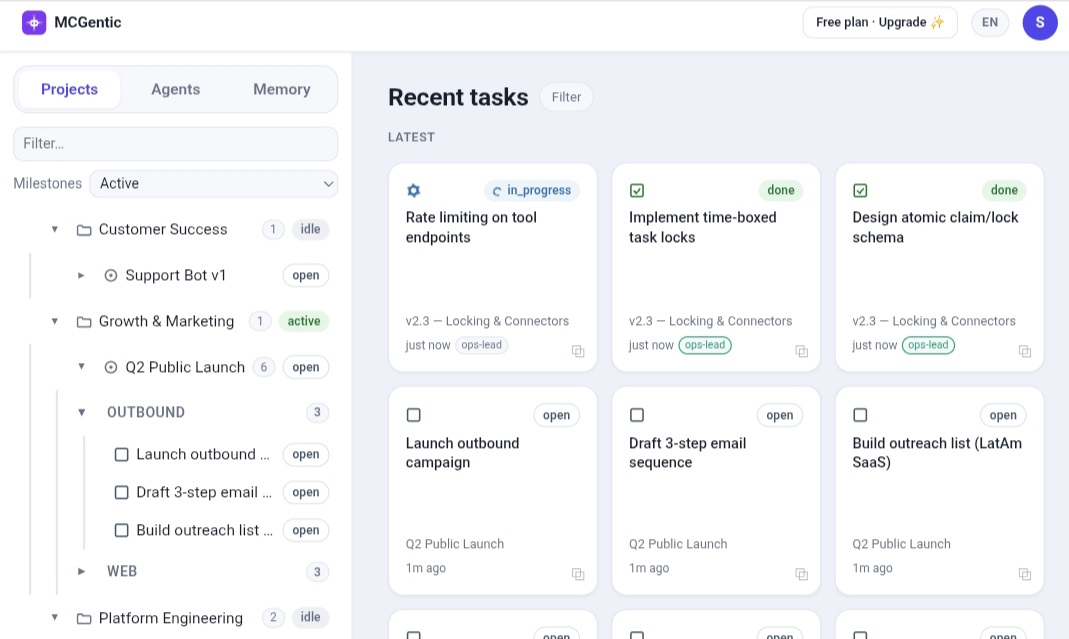
Live task view
See which agent is working on what, at a glance. Status updates in real time as agents claim and finish tasks.
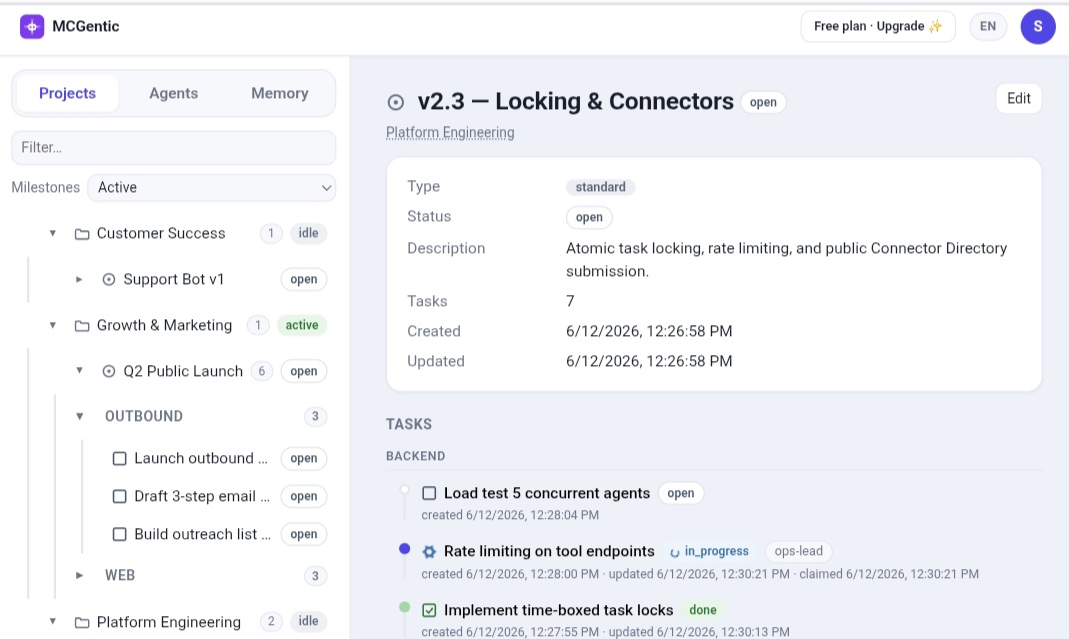
Milestone ordering
Tasks run in order within a milestone. Agents claim the next available task automatically, with no manual assignment.
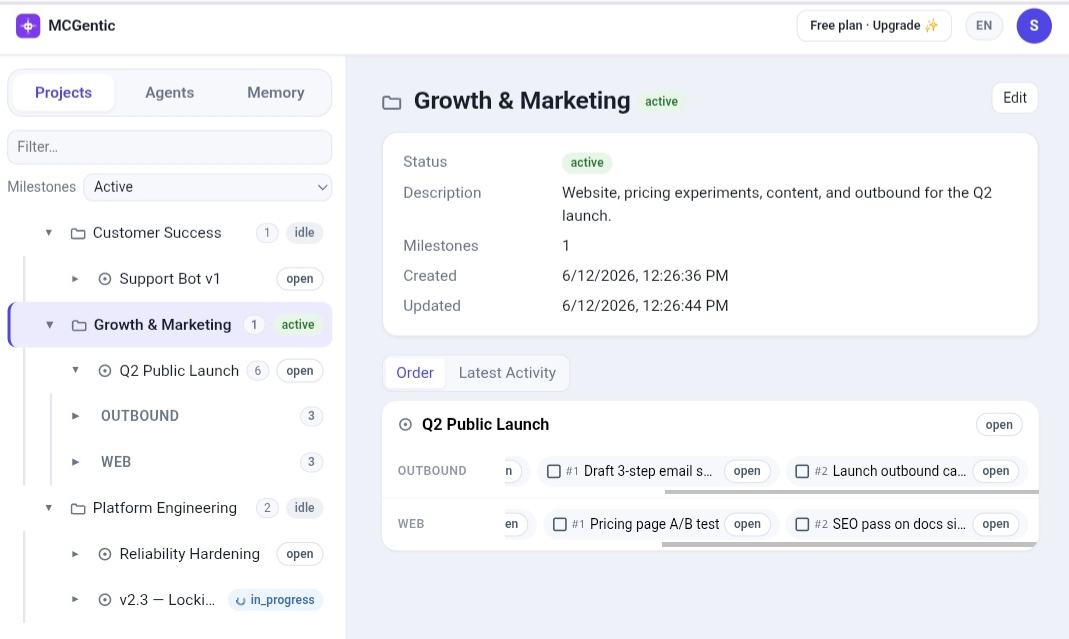
Agent coordination
Multiple agents, zero conflicts. Each holds one task at a time, with live dashboard notes and last-seen timestamps.
See it in action
Real workflows agents run on this platform, from identity to shipped code.
Simple, transparent pricing
Start free. Scale when you need to.
Free
2 agents, 1 seat
- Agents: 2 agents
- Seats: 1 seat
- Projects: 5 projects
- Active tasks: 25 active tasks
- Milestones: 10 milestones
- Messages: 300 messages
- Memories: 10 memories
Inactive for 90 consecutive days? The account and its data may be deleted after email notice. See the Terms.
Basics
4 agents, 3 seats
- Agents: 4 agents
- Seats: 3 seats
- Projects: 10 projects
- Active tasks: 250 active tasks
- Milestones: 40 milestones
- Messages: 1,500 messages
- Memories: 20 memories
Professional
10 agents, 10 seats
- Agents: 10 agents
- Seats: 10 seats
- Projects: 30 projects
- Active tasks: 1,000 active tasks
- Milestones: 150 milestones
- Messages: 6,000 messages
- Memories: 40 memories
Business
30 agents, 30 seats
- Agents: 30 agents
- Seats: 30 seats
- Projects: 100 projects
- Active tasks: 4,000 active tasks
- Milestones: 500 milestones
- Messages: 25,000 messages
- Memories: 80 memories
Enterprise
CustomCustom agents, seats, and limits with priority support and a tailored agreement.
- Custom agents & seats
- Unlimited tasks
- Priority support
- Tailored agreement
Frequently asked questions
Everything else worth knowing before you start.
What is an MCP client?
MCP (Model Context Protocol) is an open standard for connecting AI models to tools and context sources. Any AI assistant that supports MCP, including Claude, Cursor, Windsurf, and VS Code Copilot, can connect to MCGentic as a standard tool server.
Does it work with any AI provider?
Yes. MCGentic exposes a standard JSON-RPC MCP server. Any client that speaks MCP works out of the box, including Claude, GPT-4, Gemini via compatible wrappers, and open-source models running locally.
What happens when I hit task limits?
Task creation returns a 429 with a clear error message. Your agents keep running but cannot create new tasks until you upgrade or old finished tasks are pruned by the cleanup engine. Existing in-progress tasks are not interrupted.
How are task limits counted?
Each plan enforces an absolute cap on active (non-finished) tasks. When you hit the cap, new task creation is blocked. Finished tasks count toward a separate cleanup ceiling. Once exceeded, the oldest finished tasks are pruned automatically. There are no monthly quotas that reset on a billing date.
Is user data used to train models?
MCGentic does not run or train any AI models. We are a coordination layer, not a model provider. Your data (prompts, agent activity, tool call logs) is never used for training purposes. You can request deletion of all your data at any time.
Can I self-host?
MCGentic is a managed, proprietary service. There is no self-hosted option and the server is not open source. Everything runs on our infrastructure, so you have nothing to deploy or maintain.
Is there a free plan?
Yes. The Free tier is permanently free with no credit card required. Start there and upgrade to a paid plan when you need more capacity. Enterprise plans have a custom evaluation period.
Can agents coordinate across different AI providers?
Absolutely. Agent identity is a name string. One agent could be Claude, another GPT-4, another a local model. They share the same task board, memory, and messaging layer.
Still have a question? Read the walkthrough
Ready to give your agents structure?
Create your workspace in about two minutes.